Previewing and testing your template
Before you point a template at a hundred files, prove it on one. The editor has everything you need: formatting settings, a live preview, and a drop zone for a real test file.
Formatting settings
Five settings below the name parts control the finish of every generated name:
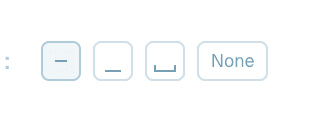
- Separators - "Symbols between name parts": dash, underscore, space or None, picked from small buttons.
- Connectors - "Symbols within name parts" (between the words inside one part), from the same choices.
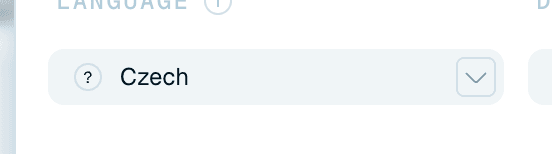
- Language - the language the AI writes names in, independent of the document's language and of the app's interface language. Smart Detect (the default) lets the AI decide; you can also pick a specific language from the list.
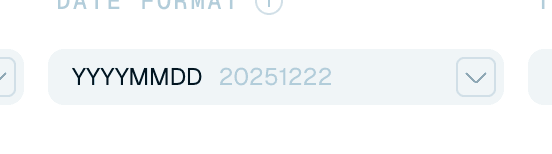
- Date format - how dates are written: Smart Detect, or a fixed style such as
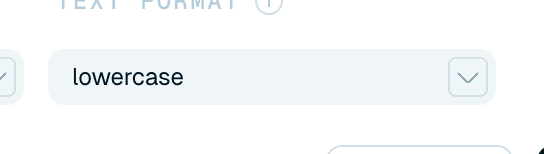
YYYY-MM-DD,DD.MM.YYYY,YYYYMMDD,YYYY-MMorYYYY-QN. - Text format - letter case: Smart Detect, lowercase, Capitalized or UPPERCASE.
These are saved with the template. For how they shape names across the app, see Fine-tuning your file names.
The live Sample
The Sample section at the top of the editor shows how a renamed file will look with the current pattern - assembled from your sample values (or the part names, if samples are empty) with the separators and connectors applied. If the sample reads right, your real files will follow the same shape. Until the pattern has something in it, this area invites you to start setting up the template instead.

Test on a real file
For the real proof, drop an actual file onto the Sample area ("Drop your files here to test"). The AI reads it with the template exactly as it stands in the editor - saved or not - and you'll see "Renaming your file…" and then the name the file would get. It's only a test: nothing is written to disk and the file keeps its name. If you change the template afterwards, a Reprocess button runs the same file again so you can compare. This is the best way to validate your context instructions before committing the template to a batch or a Magic Folder.
A test needs at least one name part in the pattern ("Add a name part to test a file"), and after many tests in a short time the app asks you to wait a moment ("Too many template tests, try again later"). If a file can't be read, the editor says "That file could not be renamed. Try another one."

