Your download has started...
Check your browser's download bar
Once downloaded, double-click the file to install
Click Open to open the app
Enter your password to let Renamer access to your files
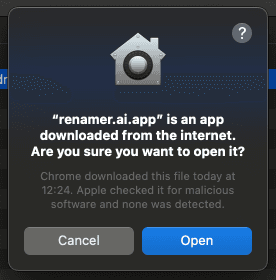
Click Open to open the app
Try free demo
See how it
works – try now
Drop your files – Renamer.ai reads and renames them
Tap here to upload
.dtoc.dtoc.dtoc.dtoc.dtoc.dtoc.dtoc.dtoc.dtoc.dtoc.dtoc.dtoc.dtoc.dtoc.dtoc.dtoc.dtoc.dtoc.dtoc.dtoc.dtoc.dtoc.dtoc.dtoc.dtoc.dtoc.dtoc.dtoc
Maximum file size is 100MB1UploadYour documents
2processa few seconds
3DownloadPerfectly named files
Choose your way to organize
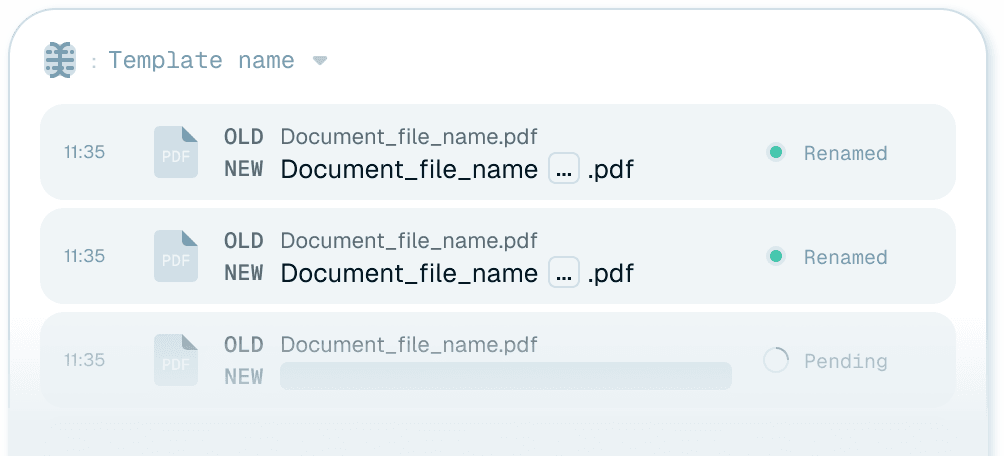
Batch renaming
Start renaming InstantlyUse Manual renaming to simply drop files into uploader to get a batch of files renamed
Magic folders
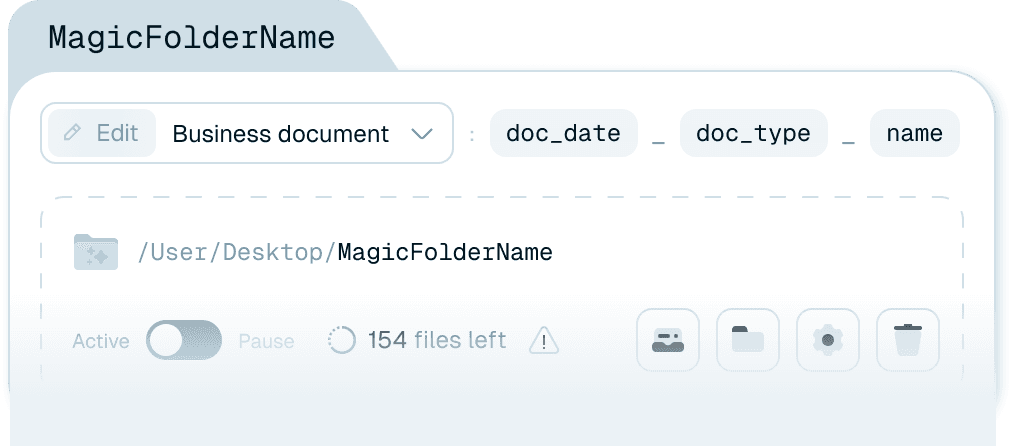
Automate with Magic FolderCreate a Magic Folder to keep your folder always clean and files consistently named
How it works
Set It Up Once, Works Forever
Step 1
Point Renamer at Your Folders
- Client files
- Scans
- Downloads
- Wherever you save documents
Step 2
Choose Your Template
- Accounting firm template (built-in)
- CPA best practices
- Or create custom rules
Step 3
Forget About It
- Processes files in 3-5 seconds
- Works with all scanner brands
- Multiple folders supported
- Runs silently in background
New file arrives
AI reads it
Renamed in 2 seconds