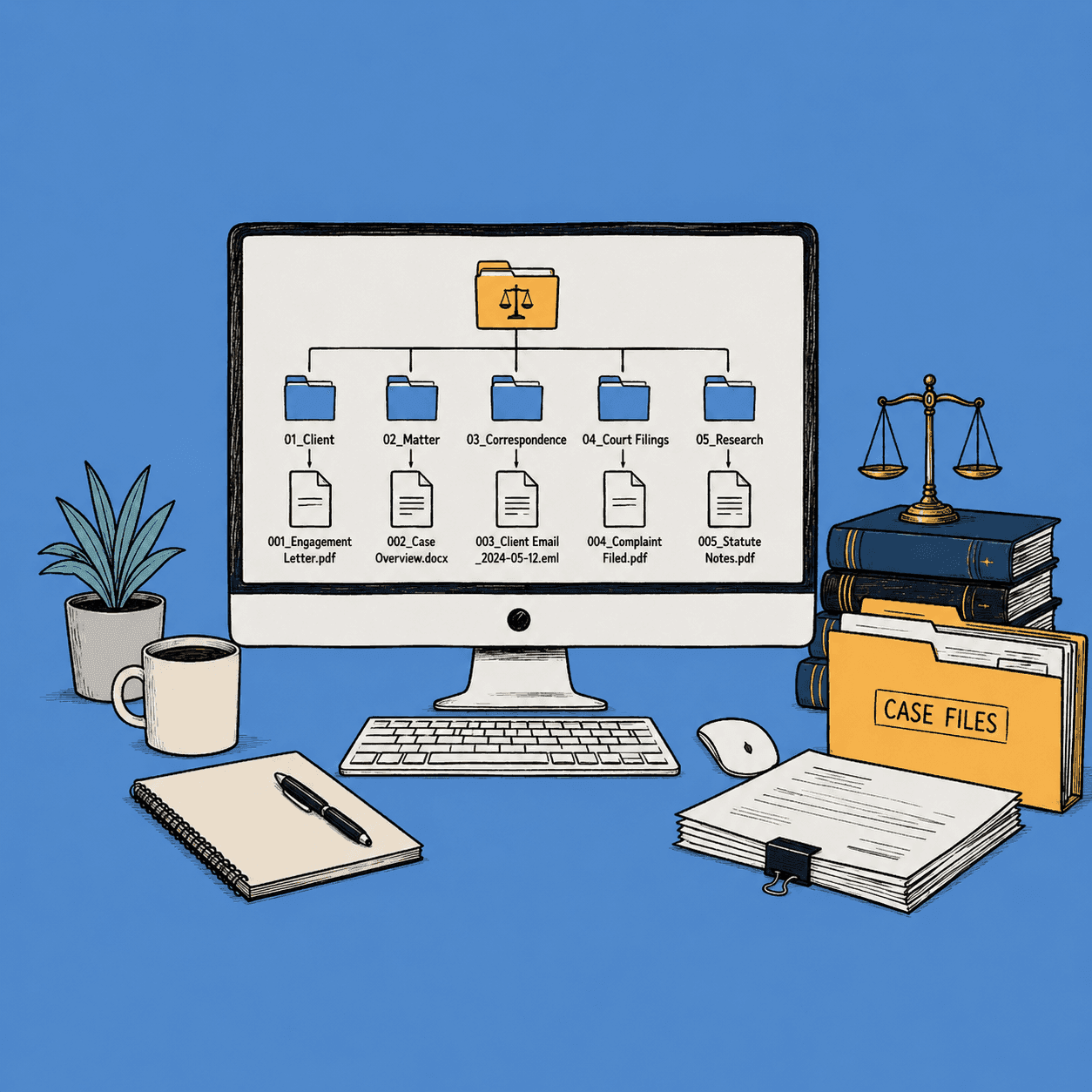
Legal File Naming: The System Every Law Firm Needs

It was 11 PM on a Thursday when a litigation partner at a mid-size firm called me in a panic. He had a summary judgment deadline the next morning and couldn't find the final version of his motion among 47 files named things like "motion_final.docx," "motion_final_REVISED.docx," and "motion_FINAL_final_v2.docx." Sound familiar? He spent two billable hours just locating the right document.
I've heard versions of this story dozens of times since starting renamer.ai. And it always comes back to the same root problem: legal document management falls apart when you don't have clear, consistent file naming conventions. Your team might have the sharpest legal minds in the city, but if nobody can find the right file when it matters, all that expertise gets buried under digital chaos.
This guide gives you a concrete system for naming and organizing your legal files. Not vague principles. Actual formats, templates, and practice-specific examples you can put to work today.
Why File Naming Conventions Matter for Law Firms
Let's get specific about what poor file naming actually costs your firm. It's not just an annoyance. It's a financial and ethical liability that hits your bottom line every single week.
You're Bleeding Billable Hours
The average knowledge worker spends 2.5 hours per day searching for information, according to a McKinsey report. For attorneys billing at $300-$500/hour, that's $750-$1,250 in daily productivity lost to file hunting. Even if your lawyers only waste 30 minutes a day on file searches, that's over $30,000 per attorney per year at $250/hour.
Think about your last discovery production. How long did it take your paralegals to locate and compile every relevant document? If your files are named "scan001.pdf" through "scan847.pdf," that production takes days instead of hours.
Compliance and Ethical Obligations Are Real
State bar associations require you to maintain organized client files. Rule 1.15 of the ABA Model Rules covers safekeeping of client property, and courts have held that client files fall under this obligation. Disorganized files aren't just inconvenient for your team. They're a potential ethics violation.
When your firm faces an audit, can you produce a complete client file in minutes? Or does your team scramble for a week pulling documents from random folders with cryptic names?
Malpractice Exposure From Misfiled Documents
Here's a scenario that should worry you: an associate at your firm prepares a contract using the wrong template because the correct version was buried under a confusing file name. The client signs a deal with unfavorable terms that should have been caught. That's a malpractice claim waiting to happen.
Misfiled or misnamed documents have contributed to missed deadlines, wrong document productions in discovery, and breaches of client confidentiality when files with generic names get attached to the wrong email. Any of these could land on your desk tomorrow.
Collaboration Breaks Down Without Standards
Your firm isn't one person working in isolation. Partners, associates, paralegals, and legal assistants all touch the same files. Without law firm document management standards for naming, everyone invents their own system. Sarah uses dates first. Mike uses client names first. The new associate uses whatever felt right in the moment.
When someone goes on vacation or leaves your firm, their files become an archaeological dig. Your naming conventions need to work for every person who'll ever touch those files, not just the person who created them.
Legal File Naming Conventions That Actually Work
I've studied how hundreds of legal teams handle file naming, and the firms that get this right all share the same core elements. Here's the system you should adopt.
The Core Naming Formula
Every legal file name should contain these elements in a consistent order:
[ClientID]_[MatterNumber]_[DocType]_[Date]_[Version].[ext]
Here's what that looks like in your daily workflow:
| Element | Format | Example |
|---|---|---|
| Client ID | Short alphanumeric code | ACME or SM2024 |
| Matter Number | Your firm's internal matter ID | 10234 or M-2024-0891 |
| Document Type | Standard abbreviation | MTD (motion to dismiss) |
| Date | YYYY-MM-DD | 2024-03-15 |
| Version | v1, v2, v3 or FINAL | v3 |
So a real file in your system looks like this:
ACME_10234_MTD_2024-03-15_v3.pdf
Anyone in your firm can look at that filename and immediately know the client, matter, document type, when it was created, and which version it is. No guessing. No opening six files to find the right one.
Date Format: Pick One, Stick With It
Use YYYY-MM-DD (ISO 8601). This isn't a preference. It's the only format that sorts chronologically in every file system. When you use MM-DD-YYYY, your files from January 2025 sort next to January 2024 instead of appearing in sequence.
Your December files should appear after your November files when you sort by name. YYYY-MM-DD makes that automatic. MM-DD-YYYY and DD-MM-YYYY both break chronological sorting.
Separators: Underscores Between Elements, Hyphens Within
Use underscores (_) to separate naming elements from each other. Use hyphens (-) within an element that contains multiple words.
Right: ACME_10234_motion-to-dismiss_2024-03-15_v2.pdf
Wrong: ACME-10234-motion-to-dismiss-2024-03-15-v2.pdf
Why does this matter for you? When everything is separated by the same character, you can't visually parse the structure. Underscores create clear boundaries between logical groups, while hyphens connect words that belong together.
Case Sensitivity: Go Lowercase
Keep your filenames lowercase. Mixed case creates confusion on case-sensitive systems (like Linux servers), and it leads to duplicate files when "Motion_To_Dismiss.pdf" and "motion_to_dismiss.pdf" coexist in the same folder.
The exception: your client IDs and matter numbers can retain their firm standard (e.g., ACME stays uppercase if that's your system).
Version Control: Kill the "Final" Problem
"Final" is never final. You know this. You've seen "FINAL," "FINAL2," "FINAL_revised," and "FINAL_ACTUALLY_FINAL" in your folders.
Use numbered versions: v1, v2, v3. When a document is truly executed or filed, use a status marker:
ACME_10234_MSJ_2024-06-01_v4-FILED.pdfACME_10234_agreement_2024-07-20_EXECUTED.pdf
This gives you a clear version history AND a definitive marker for the document of record.
Document Type Abbreviations: Create Your Firm's Dictionary
Build a standard list of document naming conventions that every person in your firm uses. Post it where everyone can reference it. Here's a starting point you can customize:
| Abbreviation | Document Type |
|---|---|
AGR | Agreement/Contract |
MTD | Motion to Dismiss |
MSJ | Motion for Summary Judgment |
MEMO | Memorandum |
LTR | Letter/Correspondence |
DISC | Discovery Document |
DEPO | Deposition Transcript |
EXH | Exhibit |
BRIEF | Brief |
ORDER | Court Order |
How to Organize Legal Files by Practice Area
Here's where most file naming guides stop. They give you a formula and call it done. But if you've worked across different practice areas, you know that a litigation file and a corporate transaction file have completely different structures and document types. Your naming system needs to reflect that.
I'll walk you through practice-specific naming patterns that our team developed after working with firms across every major practice area. These aren't theoretical. They're based on how your peers at top-performing legal teams actually organize their case files.
Litigation File Naming
Litigation generates the highest document volume in most firms. Between pleadings, discovery, correspondence, and court filings, a single case can produce hundreds of files. Your naming convention needs to handle that scale without breaking down.
Naming pattern: [ClientID]_[CaseRef]_[DocType]_[Date]_[Version].[ext]
Examples you can copy right now:
smith-v-jones_motion-to-dismiss_2024-03-15.pdfsmith-v-jones_discovery-request_set-01_2024-04-20.pdfsmith-v-jones_deposition-williams_2024-05-10_transcript.pdf
For discovery documents, add a set or batch number so you can track which production each document belongs to:
smith-v-jones_doc-production_batch-03_exhibit-042.pdf
For correspondence, include the recipient or sender so your team avoids confusion:
smith-v-jones_ltr-to-opposing-counsel_2024-06-12.pdfsmith-v-jones_ltr-from-court_scheduling-order_2024-06-15.pdf
Pro tip: Create separate subfolders for Pleadings, Discovery, Correspondence, Research, and Court Orders within each case folder. Your file naming convention works alongside your folder structure, not as a replacement for it.
Corporate and Transactional File Naming
Corporate deals have a different rhythm. You're working toward a closing date, managing multiple drafts of the same agreement, and building a closing binder at the end. Your naming system needs to track deal stages and draft iterations clearly.
Naming pattern: [Entity]_[DealType]_[DocName]_[Date]_[Version].[ext]
Examples:
acme-corp_merger-agreement_draft-v3_2024-06-01.pdfacme-corp_due-diligence_financial-statements_2024-05-15.pdfacme-corp_closing-binder_section-04_board-resolutions_2024-07-01.pdf
For due diligence documents, add the category to keep your virtual data room organized:
acme-corp_dd_tax-returns_2021-2023.pdfacme-corp_dd_employment-agreements_current.pdfacme-corp_dd_material-contracts_vendor-list.pdf
Your closing binders need section numbers to maintain order:
acme-corp_closing_sec-01_purchase-agreement_executed.pdfacme-corp_closing_sec-02_disclosure-schedules_final.pdfacme-corp_closing_sec-03_officer-certificates.pdf
Intellectual Property File Naming
IP files revolve around application numbers, prosecution timelines, and jurisdiction. Your naming convention needs to accommodate these unique identifiers while keeping files traceable across years of prosecution history.
Naming pattern: [AppType]-[AppNumber]_[DocType]_[Status]_[Date].[ext]
Examples:
patent-app-12345_claims_amended_2024-02-28.pdfpatent-app-12345_office-action-response_2024-04-15.pdfpatent-app-12345_pto-receipt_filing-confirmed_2024-01-10.pdf
For your trademark files, include the mark name or registration number:
tm-renewal_brightmark-reg-567890_2024-08-01.pdftm-opposition_brightmark-v-similar-co_response_2024-09-12.pdf
Prosecution history files benefit from sequential numbering that mirrors the USPTO or WIPO timeline:
patent-12345_01_provisional-app_2023-06-01.pdfpatent-12345_02_non-provisional_2024-05-30.pdfpatent-12345_03_office-action_2024-11-15.pdfpatent-12345_04_oa-response_2025-02-01.pdf
Real Estate File Naming
Real estate transactions produce a specific set of documents that repeat across your deals: title work, surveys, closing documents, and environmental reports. Your naming convention should make it easy to identify the property and document type at a glance.
Naming pattern: [Property-ID]_[DocType]_[Date].[ext]
Examples:
123-main-st_purchase-agreement_2024-03-01_v2.pdf123-main-st_title-search_preliminary_2024-03-15.pdf123-main-st_survey_boundary_2024-04-01.pdf
For closings with multiple properties or phases in your portfolio:
oak-plaza-phase2_closing-statement_2024-07-01.pdfoak-plaza-phase2_title-insurance_policy_2024-07-01.pdfoak-plaza-phase2_environmental-phase1_2024-05-20.pdf
Your title and escrow documents should include the specific type since there are many variations:
123-main-st_title-commitment_2024-03-20.pdf123-main-st_title-exception-docs_easement_2024-04-05.pdf123-main-st_escrow-instructions_2024-06-28.pdf
The common thread across every practice area: consistency beats perfection. Pick a pattern, document it, and make sure everyone on your team follows it. A "good enough" convention that your whole firm actually uses will always outperform a "perfect" system that only one person follows.
Building a Law Firm File Management System
Your naming conventions are only half the equation. Without a solid folder structure underneath them, even perfectly named files end up scattered across drives, desktops, and email attachments. A real law firm file management system ties your naming conventions to a folder hierarchy so your team always knows where to find what they need.
The Folder Hierarchy That Works
The most effective law firm file management follows a three-level structure: Client, then Matter, then Document Type. Here's what that looks like:
Clients/
├── ACME-Corp/
│   ├── M-2024-0891_Patent-Application/
│   │   ├── Correspondence/
│   │   ├── Filings/
│   │   ├── Research/
│   │   └── Drafts/
│   └── M-2024-1102_Employment-Dispute/
│       ├── Pleadings/
│       ├── Discovery/
│       ├── Correspondence/
│       ├── Research/
│       └── Court-Orders/
├── Smith-Industries/
│   └── M-2023-0445_Merger/
│       ├── Due-Diligence/
│       ├── Agreements/
│       ├── Closing-Binder/
│       └── Correspondence/
Every file in your firm lives in exactly one place. When a new matter opens, you create the folder structure from a standard template. When someone needs a document, they navigate Client > Matter > Document Type. No guessing. No digging through someone else's creative filing system.
Your matter number goes in the folder name so it matches your practice management software. If your firm uses Clio, PracticePanther, or another case management tool, align your folder naming with the matter IDs those systems generate. That way your physical file structure and your software always point to the same place.
Making the Paperless Transition
If your firm still works with paper files alongside digital ones, you already know the headaches. Duplicate records, version confusion between physical and digital copies, and the constant question of "is the latest version in the binder or on the server?"
Going paperless doesn't mean scanning everything into a flat folder. It means building an electronic file management system where your digital structure mirrors the organization you'd want in a physical filing cabinet, plus the search and sorting capabilities that paper never had.
Start with new matters. Set them up entirely digital from day one. Then work backward through active cases as time allows. Trying to convert your entire archive at once is a project that stalls and never finishes.
One Template Across Every Office
If your firm has multiple locations or remote attorneys, standardize the folder template firm-wide. The worst situation I've seen is when each office builds its own structure. Your Chicago team puts correspondence inside the client folder. Your Denver team nests it inside the matter folder. Now nobody can find anything when they collaborate across offices.
One template. One structure. Every matter. That's what makes a law firm file management system actually work instead of just existing in a policy doc nobody reads.
When Manual Naming Breaks Down
Everything I've covered so far works great when you have a manageable caseload and a disciplined team. But there's a point where manual conventions hit a wall. You should know where that wall is before you crash into it.
Volume Kills Consistency
Picture a high-volume litigation case with 15,000 discovery documents. Your paralegal is naming each one by hand according to your convention. By document 3,000, typos creep in. By document 8,000, shortcuts happen. DISC becomes disc becomes d becomes whatever gets the file saved fastest. The convention exists on paper, but nobody has the bandwidth to follow it perfectly across thousands of files.
Mergers create the same bottleneck. A single due diligence review can involve 5,000+ documents from the target company, most with original names like "Document1.pdf" or "export_20240315.xlsx." Renaming all of them manually? That's weeks of paralegal time you could be spending on actual case work.
Drift Across Offices and Years
Even with a firm-wide standard, offices develop their own habits over time. Your New York associates abbreviate differently than your Dallas team. The convention says MTD for motions to dismiss, but someone in the LA office started using MOT-DISM and it caught on across their entire floor.
Multiply that drift across three years of case files. Your search tools return inconsistent results because the same document type has six different abbreviations depending on who named it and when.
New Hires Inherit the Mess
Every new associate or paralegal looks at existing files for guidance on naming. They see three years of inconsistencies, make their best guess, and introduce yet another variation. The training manual says one thing. The actual files say something different. The new hire splits the difference.
At a certain scale, manual naming isn't a discipline problem. It's a capacity problem. Your people aren't sloppy. They're overwhelmed.
How AI Is Changing Legal Document Management
Here's where the conversation shifts. Everything above teaches you the right conventions for naming and organizing files by hand. But if you've read this far, you're probably thinking the same thing every managing partner tells me: "This is great in theory, but who has time to do this manually for every file?"
That's the question that pushed me to build an automated solution for it.
Content-Aware Naming: Let the Document Tell You What It Is
Traditional file naming depends on a human reading each document, deciding what type it is, and typing out the correct name. Fine at small scale. At high volumes, it's the bottleneck.
Content-aware naming flips the process. Instead of you telling the file what it is, the file tells you. AI reads the actual content of a document, not just the filename, and identifies what it's looking at. A motion to dismiss gets named like a motion to dismiss, even if it arrived as "scan_doc_final_v2.pdf."
Renamer.ai uses OCR to read through your documents and suggest proper names based on what's actually inside them. That stack of 500 scanned discovery documents your paralegal has been dreading? The AI reads each one, identifies the document type, pulls out key details like party names and dates, and suggests names that follow your convention.
Before: scan_doc_final_v2.pdf
After: smith-v-jones_discovery-response_2024-08-15.pdf
That's not a hypothetical. That's the kind of legal document automation that turns a three-day project into a 30-minute review.
Automation That Runs While You Practice Law
The bigger win isn't just batch renaming files you already have. It's catching files as they come in. Renamer.ai's Magic Folders feature monitors designated folders on your system. When new files land from email attachments, scanner outputs, client uploads, or opposing counsel productions, they get analyzed and renamed automatically.
Set up a Magic Folder for your incoming scans. Every document that hits that folder gets read, categorized, and renamed to match your firm's conventions without anyone lifting a finger. Your team stops spending time on file housekeeping and starts spending it on billable work.
This isn't about replacing your naming conventions. It's about enforcing them at scale without relying on every person in your firm to get it right every single time. The ABA's Legal Technology Survey Report shows that firms adopting technology for document management see major time savings on administrative tasks. The question isn't whether your firm needs these tools. It's how quickly you can get them running.
Start With One Folder, Then Build
Good legal file naming isn't about overhauling everything overnight. It's about picking a convention, getting your team on board, and building the habit one matter at a time.
Here's what to take from this guide:
- Use the naming formula that fits your practice and write it down where everyone can find it
- Stick with YYYY-MM-DD dates, numbered versions, and consistent abbreviations
- Structure your folders around Client > Matter > Document Type
- Start with new matters, then work backward through active files
- When your volume outgrows manual naming, tools like renamer.ai can enforce your conventions automatically
The firms that get file naming right don't just find documents faster. They cut malpractice risk, strengthen collaboration, and build systems that grow with them. The Georgetown Law Library has more resources on legal document organization if you want to go deeper.
Your convention doesn't need to be perfect. It needs to be consistent. Start today.
About the author

Uros Gazvoda
Uroš is a technology enthusiast, digital creator, and open-source supporter who’s been building on the internet since it was still dial-up. With a strong belief in net neutrality and digital freedom, he combines his love for clean design, smart technology, and human-centered marketing to build tools and platforms that matter.
Founder of Renamer.ai