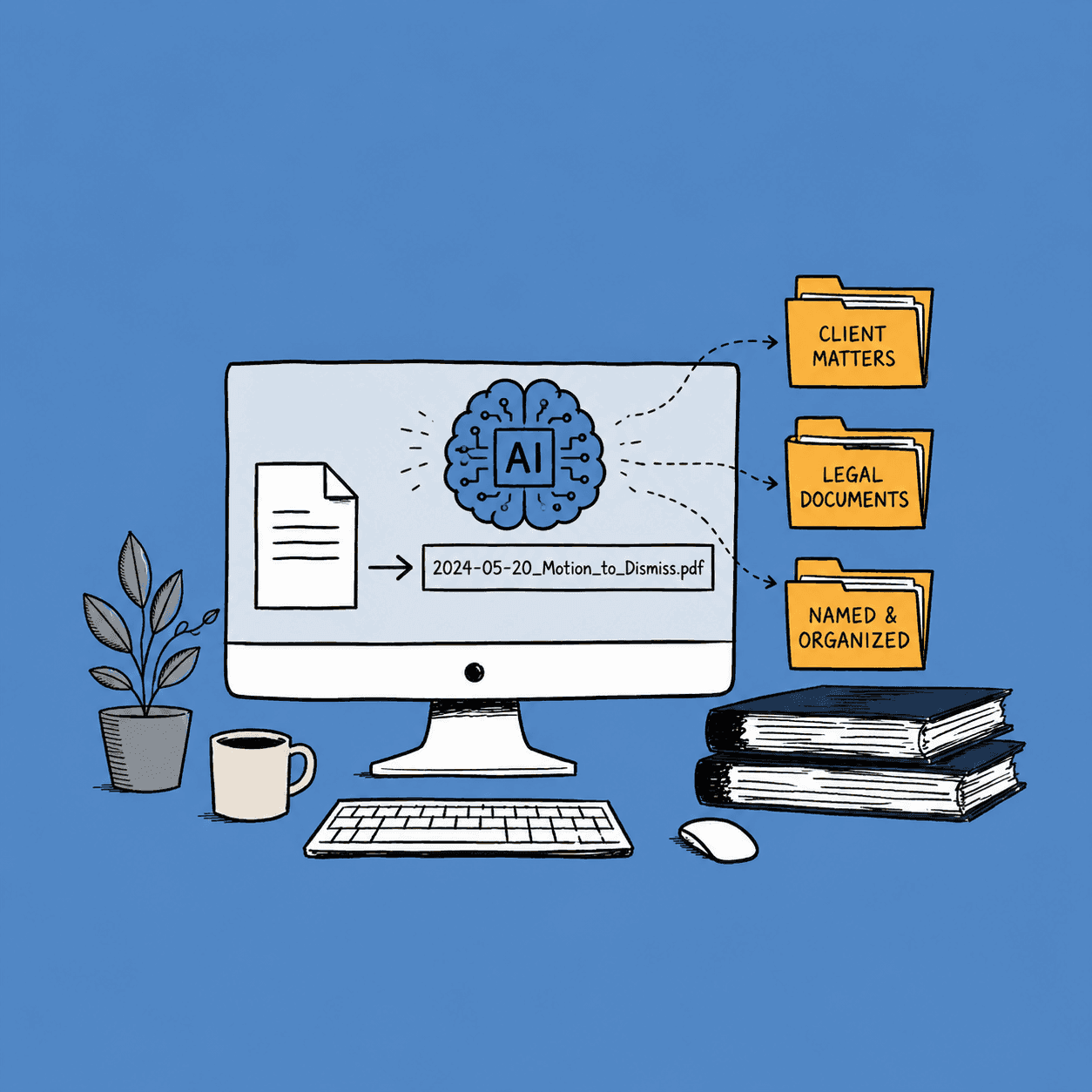
AI Document Naming: How It Works (And Why It Matters)

Last month, a forensic accountant told me she spent eleven hours finding a single invoice during an audit. Eleven hours. The file existed on her firm's shared drive the whole time, buried under a name like scan_0042_final_v3.pdf.
That story stuck with me because I hear versions of it constantly. From law firms hunting for case files. From HR managers who can't locate an I-9 form when the Department of Labor comes knocking. From IT directors watching their teams waste afternoons on files that were saved in thirty seconds and lost for months.
The root problem isn't disorganization. It's that we've been naming files the same way since the 1990s, and it stopped working a long time ago.
This article breaks down how AI document naming actually works, why your current file naming conventions are costing you more than you think, and what changes when a machine reads your documents before naming them.
What Is AI Document Naming?
AI document naming is exactly what it sounds like: software that reads your files and generates descriptive, consistent names automatically. No manual typing. No guessing what's inside a file called doc_final_FINAL.pdf.
But here's the part most people miss. There are two completely different approaches to automatic file naming, and the difference matters for your workflow.
Rule-based naming uses templates. You set up a pattern like {date}_{vendor}_{type}, and the tool fills in blanks from metadata or folder location. It's predictable, but limited. If the metadata is wrong or missing, so is your file name. And metadata is wrong or missing more often than you'd expect.
Content-based naming is different. The software opens your file, reads what's actually inside it, and builds the name from the content. An invoice gets named with the vendor, amount, and date pulled from the document itself. A contract gets the client name and agreement type. A photo gets described based on what the AI sees in the image.
That distinction between reading metadata and reading content is the gap between file naming that sort of works and file naming that actually holds up over time. Most document naming conventions break down because they depend on humans following rules. Content-based naming doesn't depend on humans at all.
How AI Reads Your Files: OCR Meets Computer Vision
If you've ever wondered how a machine "reads" a scanned PDF or a photograph, here's the short version.
For documents like invoices, contracts, and forms, the process starts with OCR (optical character recognition). Your file hits an OCR engine that extracts every piece of visible text. Then an AI model analyzes that extracted text to identify the important parts: dates, names, amounts, document types, reference numbers. From those elements, it builds a file name that actually describes what you're looking at.
For photos and images, the approach flips. There's no text to extract, so AI vision models analyze the visual content directly. People, objects, scenes, activities. Your phone's IMG_4582.jpg becomes something like team_lunch_rooftop_restaurant.jpg. You can read more about the technical pipeline in our full breakdown of how AI understands and renames your files.
This is how renamer.ai handles OCR document management at scale. You drop a folder of 500 scanned invoices into the tool, and each one gets a name based on what's actually printed on the page. No templates to configure. No metadata to fix first.
The whole pipeline takes seconds per file. And because the AI is reading content, not just copying metadata fields, it catches details that rule-based systems miss entirely.
Why File Naming Conventions Matter More Than You Think
Here's a question most teams never ask: what does bad file naming actually cost you?
Think about it in terms of your own team. If each person spends just 15 minutes a day looking for files they know they saved somewhere, that's over 60 hours per person per year. For a team of 10, that's 600 hours annually. All spent opening files, squinting at names like scan_0042.pdf, closing them, and trying the next one.
Why are file naming conventions important? Three reasons that hit your bottom line:
1. Retrieval speed. Descriptive file names mean you find what you need with a single search, not a folder-by-folder treasure hunt. When your files are named acme_corp_invoice_2025-03-15.pdf instead of scan0042.pdf, your search bar actually works.
2. Compliance risk. Auditors and regulators don't have patience for your folder structure. If your firm can't produce a requested document within a reasonable timeframe, that's a finding. In regulated industries, it can be a fine. The naming conventions you use for electronic documents directly affect your audit readiness.
3. Team friction. Every time someone asks "where's that file?" or "which version is the latest?", that's a naming failure. Multiply it across your whole team, and you're looking at hours of wasted productivity every single week. For a deeper look at what auditors specifically check, see our guide on file naming for compliance.
File Naming Conventions: The Old Way vs. AI
What are the three most common file naming conventions? If you've ever Googled this, you've seen the same advice repeated everywhere:
- Date-first:
2025-03-15_invoice_acme.pdf - Category-first:
invoice_acme_2025-03-15.pdf - Project-first:
project-atlas_invoice_acme.pdf
All three work on paper. None of them work in practice, because they depend on every person on your team following the same convention every single time. One person uses underscores, another uses hyphens. Someone abbreviates "January" as "Jan" and someone else writes "01." You end up with a dozen variations of what should be the same naming pattern.
Here's what the best file naming conventions look like when AI handles them instead of humans:
| Before (Human-Named) | After (AI-Named) |
|---|---|
Invoice-5XXBHXPX-OO07.pdf | acme_corp_invoice_5xxbhxpx-0007_30-11-2025.pdf |
scan_doc_final_v2.pdf | client_audit_findings_grammar_and_copy.pdf |
receipt_7JDV7HT34DUX.pdf | vendor_receipt_7jdv7ht34dux_december_2025.pdf |
IMG_0754.png | photo_office_manager_drinking_coffee.png |
contract_draft_LATEST.docx | smith_jones_services_agreement_2025.docx |
Notice the pattern. Every AI-generated name includes what the document is, who it involves, and when it's from. That consistency is what makes file naming conventions for electronic documents actually stick. It's not about picking the "right" convention. It's about removing humans from the equation so the convention gets applied uniformly, every time. For more on building a system that holds up, check out the file naming convention system that actually works.
For Accounting Teams: Invoice Processing Automation Starts With the File Name
If you work in accounting, you already know the pain. Hundreds of invoices arriving as PDFs, email attachments, and scanned paper docs. Each one with a name that tells you nothing about what's inside.
Invoice processing automation tools have gotten impressive at extracting data and routing approvals. But most of them skip the first step entirely: giving the file a useful name. So you end up with an automated workflow that processes scan_0187.pdf and files it under... scan_0187.pdf. Good luck finding that during your year-end close.
Here's how AI document naming changes the workflow for accounting teams:
- Instant identification. Every invoice gets named with the vendor, invoice number, and date pulled from the document itself. No more opening files to figure out what they are.
- Consistent structure. Whether the invoice comes from a scan, an email, or a vendor portal download, it gets the same naming format. Your
acme_corp_invoice_2025-03-15.pdfsits right next toacme_corp_invoice_2025-02-15.pdfin sorted order. - Audit-ready organization. When your auditor asks for all invoices from a specific vendor in Q3, you can search by name and hand them over in minutes. Not hours.
The best way to organize your digital invoice files isn't a better folder structure. It's removing the naming step from your team's responsibilities entirely. For a complete breakdown, see our guide on invoice automation for accountants.
For Legal Teams: Case File Organization at Scale
Legal document management software has come a long way, but most solutions focus on storage and access control. The naming problem? That's still on your paralegals.
And in legal, naming isn't just about convenience. It's about defensibility. If you can't locate a document during discovery, or if your client file organization is inconsistent enough that something gets overlooked, the consequences go beyond lost time.
Case file organization with AI naming looks like this:
- Matter-based naming. Every document gets the case or matter reference included in the file name, extracted from the document content. Contracts, correspondence, pleadings, exhibits. All named consistently without anyone typing a thing.
- Version clarity. No more
contract_draft_v3_FINAL_reviewed.docx. The AI reads the document and generates a name that includes the relevant party names and agreement type. - Cross-matter search. When you need to find every NDA your firm has executed with a specific counterparty, descriptive file names make that a 10-second search instead of a 10-minute dig through your DMS.
If your firm is still relying on associates to follow a naming convention manual, you're betting your case file organization on the person with the least bandwidth. AI handles it in the background. We wrote a full breakdown in our piece on legal file naming systems for law firms.
For HR: Employee File Organization Made Consistent
HR document management is one of the most underserved areas when it comes to file naming. And it's one of the areas where it matters most.
Think about what's in your HR files. I-9 forms, offer letters, performance reviews, benefits enrollment, disciplinary records. Every one of those documents has regulatory retention requirements. And if your employee file organization is inconsistent, you're one DOL audit away from a very bad day.
Here's what keeps HR managers up at night:
- EEOC compliance. If an employee files a discrimination complaint, you need to produce their complete file quickly. Missing documents, or documents you can't find because they're named
scan_jan_new_hire.pdf, look terrible in that context. - I-9 retention. Federal law requires you to retain I-9 forms for three years after hire or one year after termination, whichever is later. If your file names don't make it obvious which employee each form belongs to, managing retention becomes a manual nightmare.
- Onboarding volume. A company hiring 50 people in a quarter generates hundreds of HR documents. Tax forms, direct deposit authorizations, handbook acknowledgments. Without consistent naming, your filing backlog grows faster than your headcount.
AI document naming gives each employee file a consistent name structure, extracted from the document content. johnson_sarah_i9_2025-01-15.pdf instead of new_hire_form_3.pdf. For a more complete look at organizing employee files, check out our HR document management guide.
For Enterprise: Document Management That Actually Scales
If you manage document organization across departments or locations, you already know the truth: the standards your company published only work when everyone follows them. And they don't.
The accounting team names files one way. Legal has their own system. HR uses whatever the last person to touch the folder decided. Your file organization system is really five different systems pretending to be one.
Enterprise document management with AI naming solves the consistency problem at the root. Instead of writing a 30-page naming convention guide that nobody reads, you let the AI apply the same naming logic across every department, every file type, every language.
With renamer.ai, you can set up Magic Folders that monitor specific directories and automatically rename files as they arrive. Your accounts payable folder gets invoice-style names. Your contracts folder gets matter-based names. Your marketing folder gets campaign-based names. All happening in the background, with no manual effort from your team.
That's the difference between a file organization system on paper and one that runs itself. And if you're dealing with legacy files, bulk renaming can clean up years of inconsistent naming in a single afternoon.
The best digital file organization doesn't ask humans to be consistent. It makes consistency automatic.
How to Get Started With AI File Naming
If you've read this far, you're probably wondering how to name files this way without overhauling your entire document management setup. Good news: you don't need to.
Here's the simplest starting path:
- Pick your messiest folder. Every team has one. The shared drive where files go to die. Start there.
- Run a bulk rename. Drop those files into an AI naming tool and preview the results. You'll see immediately whether the generated names match your expectations.
- Set up automation for incoming files. Once you trust the output, point your incoming document flow through a monitored folder. New files get named automatically as they arrive.
- Expand department by department. Start with whichever team has the biggest naming headache (usually accounting or HR), prove the value there, then roll it out.
You don't need to rename every file you've ever saved. Start with the folders that cost you the most time, and let the consistency build from there.
Conclusion: What Changes When Your Files Name Themselves
I started building renamer.ai because I was tired of the same problem everyone in this article is dealing with. Files named by humans are inconsistent. Files named by rules are brittle. Files named by AI, reading the actual content, are the first approach that stays consistent without requiring constant human attention.
The accounting team finds invoices in seconds. The legal team stops worrying about misfiled case documents. HR passes their audits without scrambling. And the enterprise IT director finally has one naming system across the organization instead of five.
Your files already contain all the information needed to name themselves properly. The only question is whether you'll keep doing it manually, or let the AI read them for you.
If you want to see what your files look like with AI-generated names, try renamer.ai on your messiest folder. It takes about two minutes to see the difference.
About the author

Uros Gazvoda
Uroš is a technology enthusiast, digital creator, and open-source supporter who’s been building on the internet since it was still dial-up. With a strong belief in net neutrality and digital freedom, he combines his love for clean design, smart technology, and human-centered marketing to build tools and platforms that matter.
Founder of Renamer.ai