How to Organize Invoices: A Step-by-Step System for Accountants

If you're looking for a better way to organize invoices, the problem usually isn't volume - it's that every invoice arrives named something useless like scan_001.pdf. Six months later, finding March's invoice from Acme Corp means opening forty files one by one.
A reliable invoice organization system has three layers: a consistent folder structure, a naming convention that puts vendor, date and amount in the file name itself, and a way to apply that naming without retyping it for every document. This guide covers all three, with templates you can copy today.
The naming layer is where most systems collapse - manual conventions hold up only until someone gets busy. That's the step renamer.ai automates: it reads each invoice's actual content (vendor, date, invoice number, total) and renames the file accordingly, so scan_001.pdf becomes 2026-03-15_Acme-Corp_INV-4521_$3200.pdf on its own.
What is Invoice Automation?
Invoice automation replaces manual data entry, routing, and approval with software that handles these tasks automatically. Instead of typing vendor names into spreadsheets and walking paper invoices to managers' desks, you let machines do what machines do best: repetitive work at scale.
Your core technology stack typically includes:
OCR (Optical Character Recognition): Software that reads text from scanned documents and PDFs. Modern OCR accuracy exceeds 99% for clean documents, though crumpled receipts and faded thermal paper still cause headaches for your team.
Data extraction: AI that identifies specific fields like vendor name, invoice number, date, line items, and totals, then maps them to your accounting system's fields.
Workflow automation: Rules that route your invoices based on amount, vendor, department, or GL code. A $500 office supply invoice goes straight to approval. A $50,000 equipment purchase triggers additional review for your finance team.
Integration layers: Connections between your capture tools, ERP, approval systems, and payment platforms.
What invoice automation is not: a magic button that eliminates all human involvement. Someone on your team still needs to handle exceptions, approve payments, and maintain vendor relationships. The goal is reducing the 80% of invoice work that's mechanical so you can focus on the 20% that requires judgment.
The Invoice Workflow: From Receipt to Payment
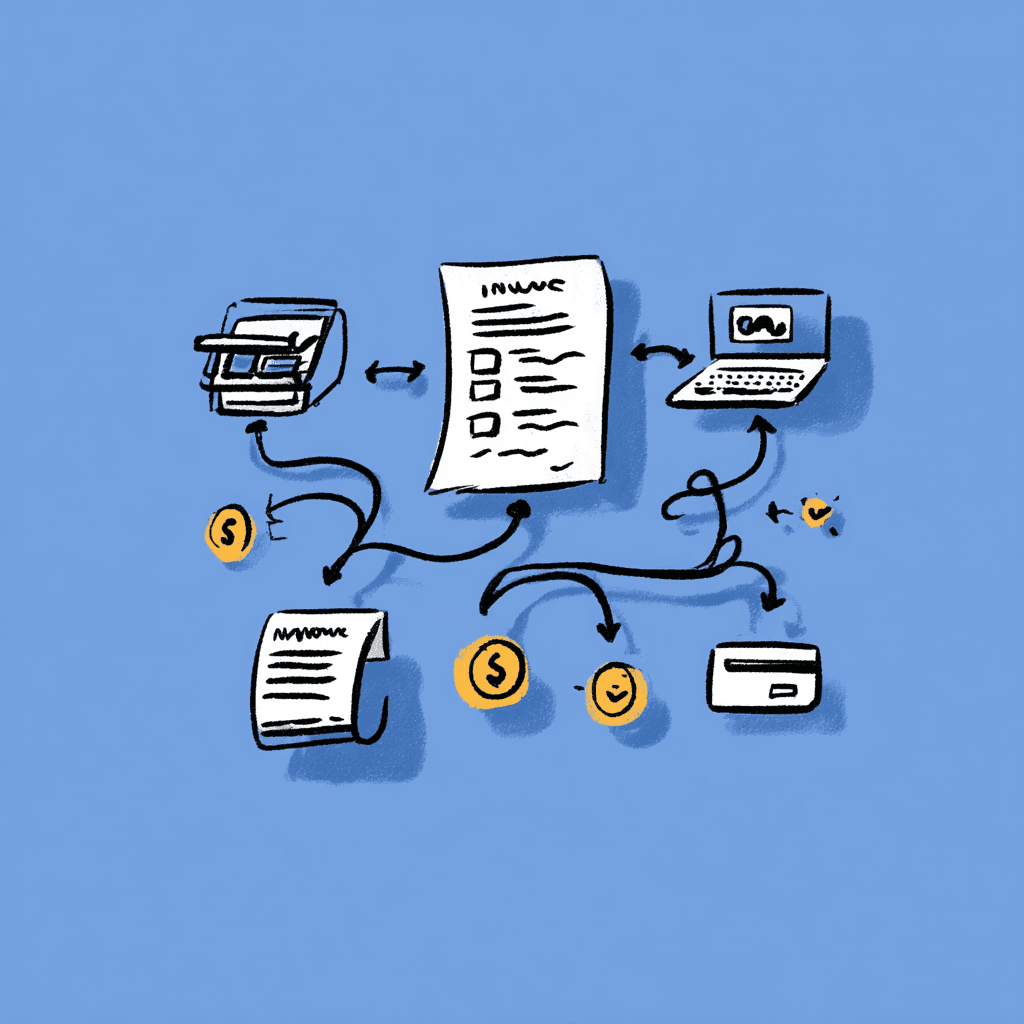
Every invoice follows the same basic journey through your organization. Understanding this workflow helps you identify where automation delivers the most value and where gaps still exist in your process.
Stage 1: Capture
Invoices arrive through multiple channels. Email attachments. Supplier portals. Physical mail that someone scans. EDI transmissions. Your capture system needs to consolidate these streams into a single queue that your team can manage efficiently.
The average mid-size company receives invoices through four to seven different channels. Each channel requires its own capture method, which is why many organizations start their automation journey here.
Stage 2: Extract
Once captured, OCR and AI extract your relevant data fields. Vendor name, address, invoice number, date, due date, line items, quantities, unit prices, totals, tax amounts, payment terms.
Modern extraction tools achieve 85-95% straight-through processing rates on standard invoices. The remaining 5-15% require human review, usually due to poor scan quality, unusual formats, or handwritten notes that confuse your extraction software.
Stage 3: Organize (The Missing Step)
Here's where most automation guides stop and where most implementations fall short for your team.
Your extraction software pulled the data. Great. But what happened to the source file? If you're like most accounting teams, it's sitting in a folder with its original cryptic filename. Maybe "INV_2024_00847.pdf" if you're lucky. More likely "attachment_1.pdf" or "scan_document.pdf."
Six months from now, when an auditor asks you for the original invoice from Acme Corp dated January 15th, you'll need to open dozens of PDFs to find it. Or search through your AP system, hope the link to the source document still works, and pray the file wasn't moved by someone on your team.
This organizational gap costs more than you'd expect. According to FileCenter's document management research, 83% of employees recreate files that already exist because they can't find them. For a $75,000/year accountant on your team spending hours searching for misfiled invoices, that's thousands of dollars annually in wasted time.
Stage 4: Validate and Match
Before approving payment, you need to verify the invoice matches what you ordered and received. This is where 3-way matching comes in: comparing the invoice against the purchase order and the receiving report.
Does the quantity match? Do the prices match? Did you actually receive the goods? Automated matching flags discrepancies before they become overpayments or vendor disputes that consume your time.
Stage 5: Approve
Invoices route through approval workflows based on your business rules. Amount thresholds trigger different approval chains. Department managers approve their own costs. Finance reviews anything above certain limits you've established.
The best approval workflows include context: showing your approver the PO, the receiving report, and the invoice side by side. Nobody wants to approve a payment without seeing what they're paying for.
Stage 6: Pay
Approved invoices queue for payment based on terms and your cash flow strategy. Some organizations pay early for discounts. Others pay on the due date to preserve cash. Automation ensures you don't miss early payment discounts or incur late fees that eat into your margins.
Key Components of Invoice Automation
Building an effective invoice automation system requires several interconnected components. Here's what each piece does and why it matters for your accounting operations.
OCR and Intelligent Document Processing
First-generation OCR simply converted images to text. You'd get a wall of text and figure out which part was the invoice number yourself.
Modern intelligent document processing (IDP) goes further. It understands document structure. It knows that the number after "Invoice #" is probably the invoice number. It learns from your corrections, improving accuracy over time as your team trains it.
When you evaluate OCR solutions, look beyond accuracy percentages. Test with your actual invoices, especially the messy ones. A system that's 99% accurate on clean PDFs but fails on scanned documents isn't useful if half your invoices arrive as scans.
Data Validation Rules
Extraction is only valuable if your extracted data is correct. Validation rules catch errors before they propagate through your system and cause problems downstream.
Basic validations you should implement include:
- Does the invoice total equal the sum of line items plus tax?
- Is the invoice date in the past but not unreasonably old?
- Does the vendor name match an approved vendor in your system?
- Is the invoice number unique, or is this a duplicate you've already processed?
Advanced validations compare against your historical patterns:
- Is this invoice amount typical for this vendor based on your payment history?
- Does the GL coding match how you've coded similar invoices before?
- Are the payment terms consistent with your vendor agreement on file?
Workflow Engines
Workflow engines route invoices through your approval process based on configurable rules. The power is in the flexibility: your $1,000 threshold for manager approval shouldn't require a developer to change when your policies evolve.
Good workflow engines handle exceptions gracefully. What happens when an approver is on vacation? When an invoice exceeds all your thresholds? When three people need to approve but one rejects? You need clear answers to these questions before you implement.
Integration Capabilities
Your invoice automation doesn't exist in isolation. It needs to connect with the systems you already use:
- ERP/accounting systems: NetSuite, QuickBooks, Sage, SAP
- Email: For capturing invoice attachments automatically
- Cloud storage: For document archival that your team can access
- Banks: For payment execution
- Vendor portals: For two-way communication with your suppliers
The depth of integration matters more than the breadth. A shallow integration that requires manual data transfer defeats the purpose. Look for solutions that write directly to your systems of record without requiring you to copy and paste.
The Missing Step: Document Organization
Let's talk about the elephant in the room that's costing you time every month.
Your OCR extracts "Vendor: Acme Corp, Invoice: INV-4521, Date: 2024-01-15, Amount: $2,450." Perfect. That data flows into your AP system, gets matched, approved, and paid.
But the file itself? Still named "scan_001.pdf."
This matters more than you might think for your daily operations.
During audits: External auditors request original source documents from your team. When your invoices are named logically like "2024-01-15_acme-corp_inv-4521_2450.pdf," you find them in seconds. When they're named "scan_001.pdf" through "scan_847.pdf," you're opening files one by one while the auditor waits.
During disputes: A vendor claims you never paid. You need to find the original invoice, the approval chain, and the payment record. The approval chain is in your system. The payment record is in your bank. But that original invoice file? Where is it? Your team scrambles to locate it.
During transitions: When team members leave or systems change, institutional knowledge evaporates from your organization. Logically named files are self-documenting. Cryptically named files require someone who remembers the context, and that person may have already moved on.
During reconciliation: Your month-end close goes faster when you can quickly locate supporting documents. Your GL says you paid Acme Corp $2,450 on January 15th. Finding the matching invoice should take you one search, not twenty clicks through folders.
What Good Invoice File Organization Looks Like
A well-organized invoice follows a consistent naming pattern that includes:
- Date: When the invoice was issued
- Vendor: Who sent it to you
- Invoice number: Their reference number for your records
- Amount: What you owe (optional but helpful for quick scanning)
Example transformation showing what your files could look like:
| Before | After |
|---|---|
| Invoice-5XXBHXPX-OO07.pdf | anthropic_invoice_5xxbhxpx-0007_30-11-2025.pdf |
| scan_001.pdf | 2024-01-15_acme-corp_inv-4521_2450.pdf |
| attachment_1.pdf | 2024-02-28_staples_inv-7782_187.pdf |
This isn't about aesthetics. It's about making your files findable without relying on a specific search tool or database. When your files are named descriptively, you can find them from Windows Explorer, Mac Finder, your cloud storage search, or even a command line.
Automating Document Organization
Manual renaming isn't practical at scale for your team. If you're processing hundreds of invoices monthly, you need automation to handle this step.
This is exactly why I built renamer.ai. The tool uses OCR and AI technology to read your invoice, identify the key fields, and generate a descriptive filename based on your preferred pattern. You can set up custom templates with variables like document type, date, issuer name, and document ID to match your organization's conventions.
The point isn't to replace your AP automation. It's to fill the gap your AP automation leaves. Extract the data AND organize your files so they're findable by anyone on your team.
Invoice Matching and Validation
Matching invoices against purchase orders and receipts is where you catch problems before they become overpayments that drain your budget.
2-Way Matching
Compares the invoice against your purchase order. Do the prices match? Do the quantities match? Is the vendor correct in your records?
2-way matching works for your simple purchases where receiving verification isn't critical: subscriptions, services, recurring fees that you pay monthly.
3-Way Matching
Adds receiving data to your comparison. The invoice says you ordered 100 widgets. The PO confirms you ordered 100 widgets. But did you actually receive 100 widgets in your warehouse?
3-way matching catches situations where:
- You're being billed for items that never arrived at your location
- Quantities delivered don't match quantities invoiced to you
- You received damaged goods that shouldn't be paid for by your company
For physical goods, especially high-value items in your inventory, 3-way matching protects against overpayment. The Institute of Finance & Management's research on paper-based invoice processing shows that proper invoice validation prevents 2-3% of invoice value in erroneous payments for most organizations.
Handling Matching Exceptions
Perfect matches are easy for your system. Exceptions require process and judgment from your team.
Price variances: The PO says $10/unit, the invoice says $10.50. Is this a pricing error or did costs increase since you placed the order? Define tolerance thresholds for your organization. Perhaps 2% variance auto-approves, larger variances require your review.
Quantity variances: You ordered 100, received 95, invoiced 100. Pay for 95 and dispute 5? Pay full and handle in next order? Your policy needs to be clear and consistently applied by everyone on your team.
Missing POs: Some invoices arrive without a corresponding purchase order in your system. These non-PO invoices need a separate workflow, perhaps requiring higher-level approval or retroactive PO creation before you can process them.
Setting Up Approval Workflows
Your invoice approval workflow should reflect how decisions actually get made in your organization, not how you wish they were made in an ideal world.
Designing Approval Chains
Start by mapping your current process honestly:
- Who approves what today in your company?
- What are the actual dollar thresholds your team uses?
- Who gets involved when something seems wrong to the reviewer?
Then translate that into rules that your system can enforce:
- Invoices under $500: Auto-approve if they match a PO in your system
- Invoices $500-$5,000: Department manager approval required
- Invoices $5,000-$25,000: Director approval required
- Invoices over $25,000: CFO approval required
Building in Flexibility
Rigid workflows break when reality intervenes. People go on vacation. Urgent payments need fast-tracking for your business. New vendors don't fit your existing categories yet.
Your workflow needs these escape valves:
Delegation: When the approver is unavailable, who acts as backup on your team?
Escalation: If an approval sits untouched for 48 hours, who gets notified to move it along?
Override paths: How do you handle legitimate urgent payments that can't wait for normal approval in your process?
Exception handling: What happens to invoices that don't match any rule you've defined?
Approval Context
Your approvers need information to make decisions quickly. The best approval workflows show:
- The invoice itself
- The matching PO (if applicable to this purchase)
- Receiving confirmation (if applicable to this order)
- Historical data for this vendor from your records
- Budget impact for the department
- Comments from earlier reviewers on your team
An approver shouldn't have to leave the approval screen to gather information from other systems. Everything relevant should be visible in one place for quick decision-making.
Benefits of Invoice Automation for Accountants
Numbers matter when you're building a business case. Here's what the data shows about invoice automation ROI for teams like yours.
Time Savings
Industry benchmarks from Artsyl Technologies' 2025 ROI analysis show manual invoice processing averaging 15 minutes per invoice at a cost of $12-$30, while automated processing drops to 3 minutes at $1-$5 per invoice—a 60-80% reduction in both time and cost.
For your team processing 1,000 invoices monthly:
- Manual: 250 hours/month (15 min × 1,000)
- Automated: 50 hours/month (3 min × 1,000)
- Savings: 200 hours/month you get back
At $50/hour fully-loaded cost for your staff, that's $10,000 monthly in labor savings alone that flows to your bottom line.
Error Reduction
Manual data entry averages a 1-3% error rate according to industry research. Automated invoice processing with OCR and validation drops error rates to 0.1-0.5%—a 6-10x improvement in accuracy for your invoices.
Errors cost more than the time to fix them for your organization. A duplicate payment means recovery effort from your team. A miscoded expense means rework during close. A missed early payment discount means lost money you could have kept.
Faster Cycle Times
Automated invoice processing completes in 3-5 days on average versus 12-15 days for manual processes in comparable organizations.
Faster processing means real benefits for your business:
- More early payment discounts captured by your team
- Fewer late fees incurred that eat your margins
- Better vendor relationships because you pay on time
- Improved cash flow forecasting for your finance team
Audit Readiness
Every invoice has a complete trail in your system: who touched it, when, what they decided, why. Original documents are stored with logical names and can be retrieved in seconds rather than hours when auditors arrive.
Your auditors will notice the difference. So will you, during month-end close when you're not scrambling for documentation.
Getting Started with Invoice Automation
You don't need to automate everything at once. Start where the pain is greatest for your team and expand from there as you see results.
Phase 1: Capture and Extract
Get all your invoices into a single digital queue with automated data extraction. This is the foundation everything else builds on for your automation journey.
Quick wins at this stage for your team:
- Eliminate manual data entry that wastes your time
- Reduce errors from typos that cause downstream problems
- Create a searchable invoice archive for your records
Phase 2: Organize and Match
Add document organization so your files are findable by humans, not just searchable in systems that might change. Implement basic matching against your POs.
This is where intelligent file naming fits into your workflow, taking extracted data and applying it to file names so your documents stay organized regardless of which systems you use tomorrow.
Phase 3: Workflow and Approval
Build automated routing based on your actual approval requirements. Start simple and add complexity as you learn what your organization really needs in practice.
Phase 4: Integration and Payment
Connect your invoice automation to your ERP, bank, and payment systems. Achieve true touchless processing for the invoices that don't need human review from your team.
Measuring Success
Track these metrics to prove your automation is working for your organization:
- Straight-through processing rate: What percentage of your invoices process without human intervention?
- Average processing time: How long from receipt to approved in your workflow?
- Exception rate: What percentage require manual review from your team?
- Duplicate payment rate: Are you catching duplicates before they cost you money?
- Early payment discount capture: Are you getting the discounts available from your vendors?
Conclusion: The Complete Automation Workflow
Invoice automation isn't a single tool. It's a workflow that spans capture, extraction, organization, matching, approval, and payment. Most guides focus on the parts that sound impressive: AI extraction, smart matching, automated approval.
But the fundamentals matter too for your daily operations. What happens to your files after you extract the data? Can you find an invoice six months from now without relying on a specific search tool? Will your auditor compliment your organization or complain about the time it takes to find documentation?
The accountants I talk to don't need more features. They need their existing features to work together without leaving gaps in the process. They need invoice files that are named logically, stored accessibly, and findable by anyone on their team, not just the person who originally processed them.
That's the complete automation workflow you should build: Capture, Extract, Organize, Match, Approve, Pay. Miss any step, and you're leaving efficiency on the table that your competitors might capture.
Your invoices deserve better than "scan_001.pdf." And more importantly, your team deserves a system where finding any document takes seconds, not minutes of frustrating searching through cryptically named files.
About the author

Uros Gazvoda
Uroš is a technology enthusiast, digital creator, and open-source supporter who’s been building on the internet since it was still dial-up. With a strong belief in net neutrality and digital freedom, he combines his love for clean design, smart technology, and human-centered marketing to build tools and platforms that matter.
Founder of Renamer.ai