AP Automation Examples

Accounts payable automation examples

"Automate accounts payable" means something completely different for a solo bookkeeper than for a 40-person finance team. Rather than talk in the abstract, this guide walks through three concrete example setups at different scales - what tools each uses, what gets automated, and where a human still steps in. The point is to help you recognise which example is closest to your reality, then borrow the parts that fit, instead of buying more automation than the job needs.

Methods compared

Method 1: Example 1 - Solo bookkeeper: email + Magic Folder renaming

A one-person bookkeeping setup handling invoices for a handful of clients. Invoices arrive by email and the occasional scan, and the whole pain is that they land as attachments named invoice.pdf and Scan_047.pdf with no way to tell them apart later. The automation here is deliberately light: a synced folder collects the attachments, and Renamer.ai's Magic Folder reads each new invoice and renames it to 2026-01-22_HarborFreightCo_HF-55210_$1940.pdf the moment it arrives. There is no ERP, no approval routing - just the intake-and-naming stage automated so the archive stays findable. It is the cheapest possible example that still removes real daily friction, and it takes minutes to set up.

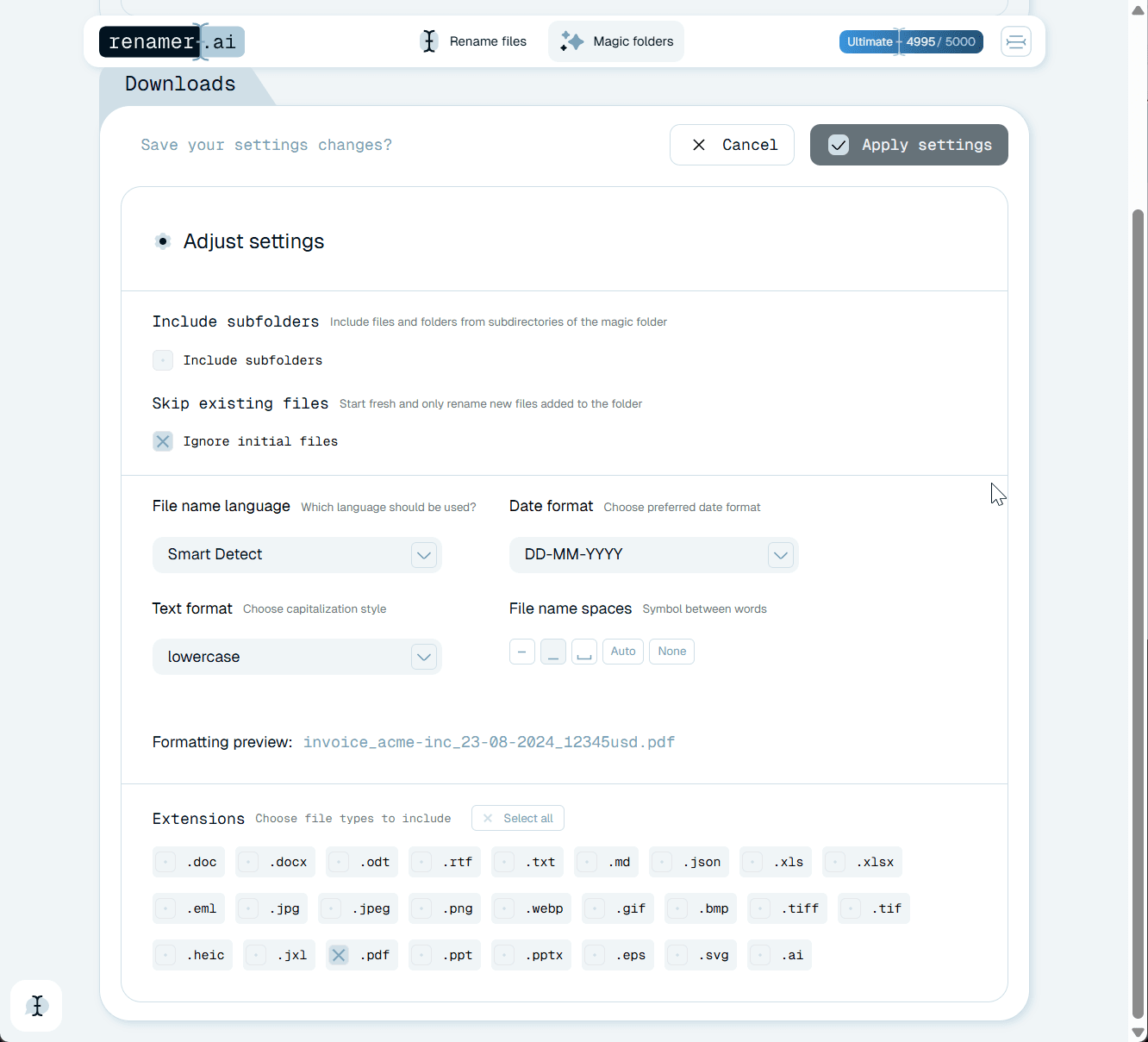
Renamer.ai Magic Folder settings renaming incoming invoices automatically, with a live preview of the invoice filename format.
Pros
  • Set up in minutes with no new platform to learn
  • Removes the worst daily pain - unnamed, unfindable invoices
  • Runs locally; client invoices stay on your machine
  • Free tier is enough for low volume
Cons
  • Covers intake and naming only, not approvals or payment
  • No structured data pushed to accounting software
  • You still record and pay invoices in your existing tool
  1. Sync email invoice attachments into one local intake folder.
  2. Point a Renamer.ai Magic Folder at that folder.
  3. Choose a naming template like date_vendor_invoice_amount.
  4. Let each new invoice get read and renamed automatically.
  5. Record and pay invoices in your existing accounting tool as usual.

Method 2: Example 2 - Growing small business: OCR naming + accounting import

A small business processing a few hundred invoices a month across many suppliers, with one person responsible for the books. Here the archive problem is bigger and there is a second need: getting invoices into accounting software cleanly. The example setup pairs Renamer.ai at intake - reading and naming every invoice, including scans and photos, into a consistent pattern - with a lightweight import into a tool like QuickBooks or Xero. Because each file already carries its vendor, number, date, and amount in a predictable name, attaching or importing it is fast and searchable. The automation covers capture and naming end to end; recording and approval stay in the accounting tool, but they start from clean, labelled inputs instead of a pile of Scan_*.pdf files.

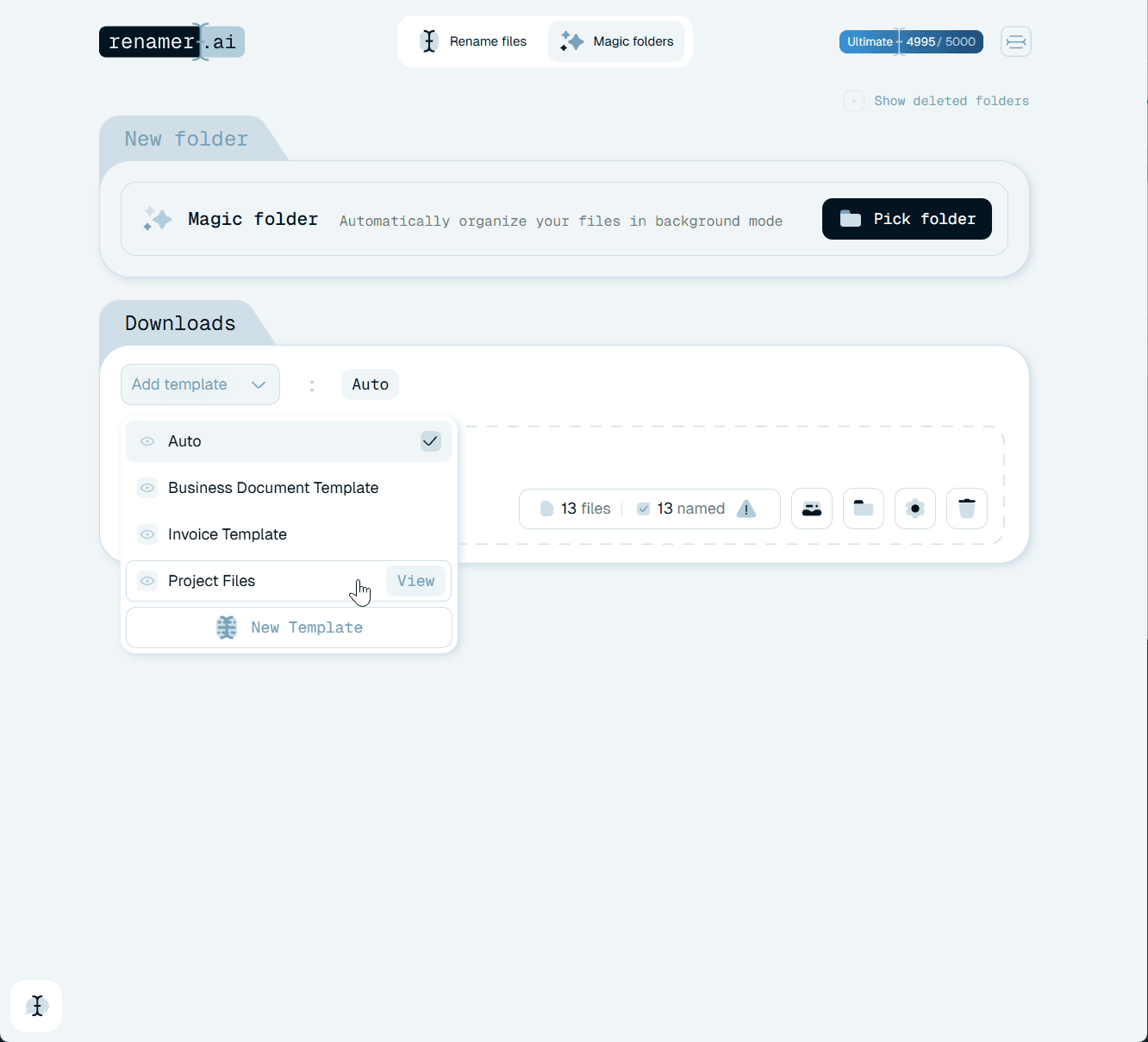
Renamer.ai applying a saved Invoice Template to a batch of files before they are imported into accounting software.
Pros
  • Handles a few hundred invoices a month without a heavy platform
  • Consistent names make accounting import and lookup reliable
  • Reads scans and photos, not just digital PDFs
  • Low cost relative to a full AP suite
Cons
  • Naming is automated, but recording still happens in the accounting tool
  • No automatic three-way PO matching
  • Approvals remain manual unless the accounting tool adds them
  1. Route all invoices - email, scanner, portals - into one intake folder.
  2. Use Renamer.ai to OCR and rename the whole batch consistently.
  3. Review only the few low-confidence reads it flags.
  4. Import or attach the named files into QuickBooks or Xero.
  5. Approve and pay within the accounting tool from clean inputs.

Method 3: Example 3 - Scaling finance team: OCR intake feeding a capture platform

A finance team processing high invoice volume with strict controls and multiple approvers. At this scale a dedicated capture or AP platform (for line-item extraction, PO matching, approval routing, and payment) genuinely earns its cost. But even here, a common example pattern is to put fast, local OCR naming in front of the platform: Renamer.ai reads and names each incoming invoice so the human-facing archive and the pre-import staging area stay clean and searchable, while the capture platform handles structured extraction and posting. This is the modular version of AP automation - each layer does one job well - and it lets the team improve intake immediately without waiting on the larger platform rollout.

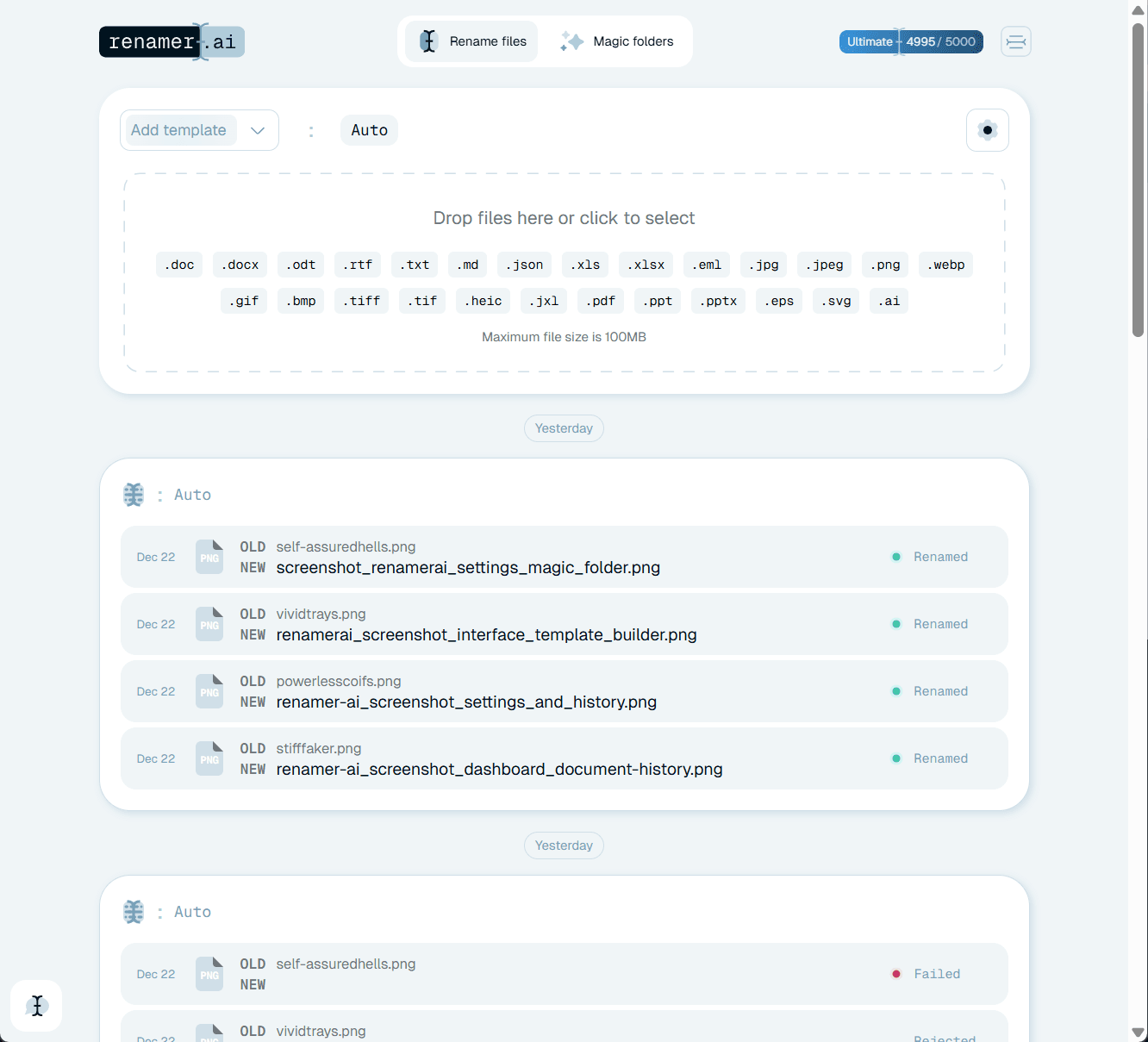
Renamer.ai dashboard processing files at intake with a full rename history, feeding a downstream capture platform.
Pros
  • Capture platform handles matching, approval, and payment at volume
  • Local OCR naming keeps the archive and staging area searchable
  • Modular - intake can improve before the platform is fully live
  • Clean filenames survive a future change of accounting system
Cons
  • The capture platform carries real licence and setup cost
  • Two tools to run instead of one
  • Overkill for teams without high volume or strict controls
  1. Centralise all incoming invoices into one intake location.
  2. Let Renamer.ai OCR and name each file for the human-facing archive.
  3. Feed the named files into the capture/AP platform for extraction.
  4. Let the platform match invoices to POs and route approvals.
  5. Schedule payment and post to the ledger inside the platform.

Comparing the three example setups

None of these is the right answer for everyone - they map to volume and control needs. Read across to find the row that matches your reality, then borrow that setup.

DimensionSolo bookkeeperGrowing small businessScaling finance team
Invoice volumeLowHundreds/monthHigh
What's automatedIntake + namingCapture + namingCapture → payment
OCR naming (Renamer.ai)YesYesYes (front layer)
Data export to accountingNoImportYes (platform)
PO matching / approvalsManualManualAutomated
Setup effortMinutesLowWeeks (platform)

Where OCR fits in every example

The common thread across all three setups is that OCR sits at the very front, at intake. That is not a coincidence. Whatever else an AP process does - matching, approving, paying - it first has to know what each incoming document is, and a large share of real invoices arrive as scans or photos with no readable text. Without optical character recognition, those files stall at the door until a human opens and reads them, which is the manual tax every one of these examples is trying to remove.

In the solo and small-business examples, OCR does the whole job that matters: it reads the vendor, number, date, and total and turns Scan_047.pdf into 2026-01-22_HarborFreightCo_HF-55210_$1940.pdf, so the archive is searchable and imports are clean. In the scaling example, OCR naming plays a supporting role in front of a heavier extraction engine, keeping the human-facing files organised while the platform handles structured data. Either way, reading the document is the step that unlocks everything downstream.

Treat OCR confidence as part of the design in any example you copy. Skewed scans and faint print can produce a misread, so the reliable pattern is to let the engine read everything automatically and route only the handful of low-confidence results to a person. That keeps the speed of automation while protecting the accuracy that recording, matching, and payment all depend on.

Why examples beat a generic 'automate AP' pitch

Most accounts payable automation advice describes an idealised end state - capture, match, approve, pay, all seamlessly automated - that assumes a scale and budget most teams don't have. That is why concrete examples are more useful than a generic pitch: they show what a real setup looks like at your size, including the parts that stay manual. Recognising yourself in one of the examples above is worth more than a feature list, because it tells you where to start and, just as importantly, where to stop.

The examples deliberately share a spine and differ only in how many layers they add. All three centralise intake and automate reading and naming; the small business adds an accounting import, and the scaling team adds a capture platform for extraction and payment. Seeing them side by side makes the modular nature of AP automation obvious: you are not choosing one monolithic system, you are deciding how many layers your volume justifies.

Start with intake, whatever your scale

The one move that appears in every example - and delivers the fastest return - is automating the intake stage: reading each invoice and naming it consistently. It is high-leverage because a clean, labelled file makes every later step easier, whether that step is a human recording it, an accounting import, or a capture platform ingesting it. It is also the stage that is most painful to do by hand, since it means opening and reading document after document, so automating it removes the most repetitive work first.

This is why the examples all put Renamer.ai at the front rather than starting with approvals or payment. Fixing intake is cheap, fast, and low-risk, and it improves the archive immediately regardless of what you build later. If you only ever adopt one piece of AP automation, the examples agree it should be this one - the reading-and-naming step that turns anonymous scans into searchable, self-describing files.

Add layers deliberately, not all at once

The temptation, once intake is solved, is to automate everything else immediately. The examples suggest the opposite: add each layer only when the volume or control need is real. The solo bookkeeper who forces an ERP into their workflow has bought complexity they will never use; the high-volume team that refuses a capture platform will drown in manual matching. Matching the number of layers to the actual scale is the whole skill, and the three examples are really just three points on that spectrum.

Adding layers deliberately also keeps risk low. Each layer in the examples - naming, import, capture - can be adopted and proven independently, so a stalled project in one never freezes the rest. And because the shared foundation is clean, consistently named files, moving from one example to the next as you grow is an addition rather than a rebuild: the archive Renamer.ai produces for a solo bookkeeper is exactly the input a capture platform wants later.

Keep the process durable and documented

Whichever example you adopt, write it down. A single page describing your intake folder, naming template, the tools in the chain, and the exception review lets a new person run the process in a day rather than a month. The examples are only as durable as the documentation behind them, because AP work outlives the individuals who set it up - the bookkeeper changes, the finance hire leaves, and an undocumented setup quietly reverts to manual habits.

Treat the chosen example as a living design. As volume grows, revisit whether it is time to add the next layer; as tools change, update the one-page description. A modular, capture-first AP process with clear handoffs and a light human safety net is far more resilient than any single platform, and it is the version of automation that still works two years and two software changes from now.
AP automation examples FAQ

What is a simple example of accounts payable automation?

The simplest example is automating intake and naming: invoices arrive in a folder, and a tool reads each one and renames it consistently. With Renamer.ai, a Magic Folder turns Scan_047.pdf into 2026-01-22_HarborFreightCo_HF-55210_$1940.pdf automatically, so a solo bookkeeper gets a searchable archive without any ERP or approval software. It removes the most repetitive daily work at almost no cost.

Do all these examples need an ERP or AP platform?

No. Only the highest-volume example uses a dedicated capture or AP platform. The solo and small-business examples automate intake and naming with a lightweight tool and keep recording, approval, and payment in existing tools like QuickBooks or Xero. Matching the number of automation layers to your actual volume is the point.

Where does OCR fit in an AP automation example?

At the front, at intake, in every example. OCR reads each incoming invoice - including scans and photos - so the vendor, number, date, and total are captured and the file can be named or extracted. Without it, image-based invoices stall until a human reads them, which is the manual step these setups exist to remove.

Which example should a small business start with?

Start by automating intake and naming (the shared first layer), then add an accounting import if you process enough volume to feel the recording work. That matches the small-business example. You can adopt Renamer.ai for the naming step first, prove the value, and add the import layer once naming is solved - no need to build everything at once.

Can I try the intake-and-naming step for free?

Yes. Renamer.ai lets you start free with 25 files, so you can run a real batch of invoices - including a few scans - through the intake-and-naming step from any of these examples and see the before-and-after before committing to a larger setup.

FUTURISTICA d.o.o. © 2024–2026 FUTURISTICA d.o.o. All rights reserved. Ul. Frana Žižka 20 2000 Maribor, Slovenia, Company Registration: EU, Slovenia